The Ultimate Home for Your Paperwork
PaperBox is a powerful, privacy-first document scanner. Scan with your camera, extract text with on-device OCR, organize in folders, set reminders, and add notes — all stored securely on your device.
Free · No account required · No data leaves your device
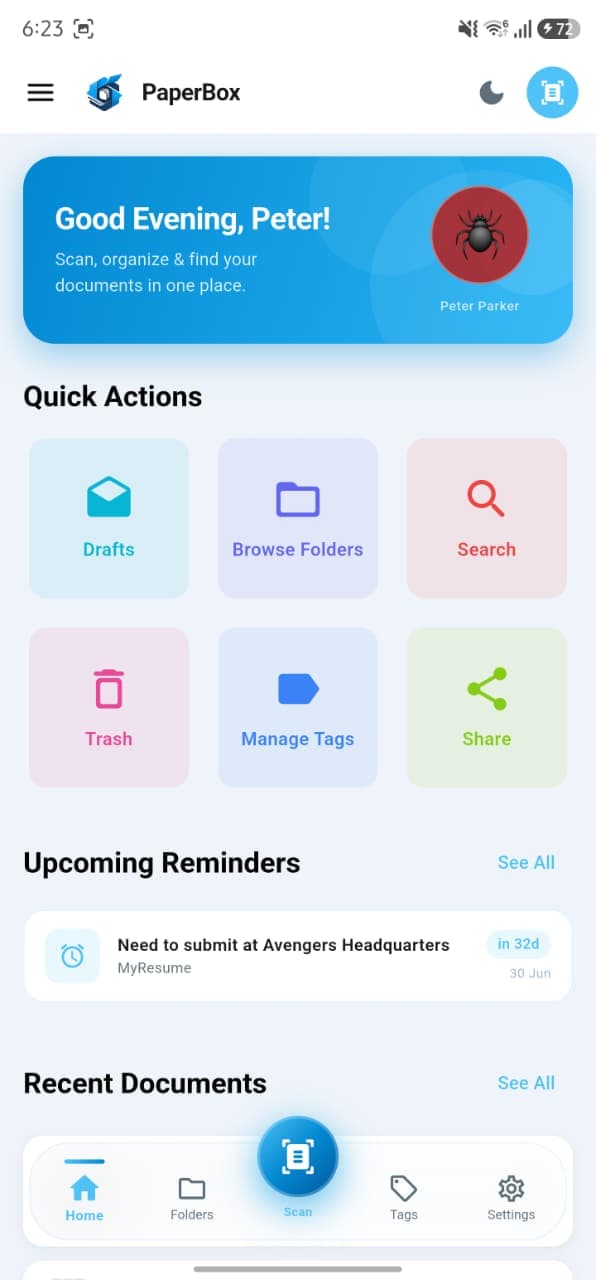
See PaperBox in action
A clean, intuitive interface designed to keep your paperwork organised and always within reach.
Home
Greeting card, quick actions & upcoming reminders
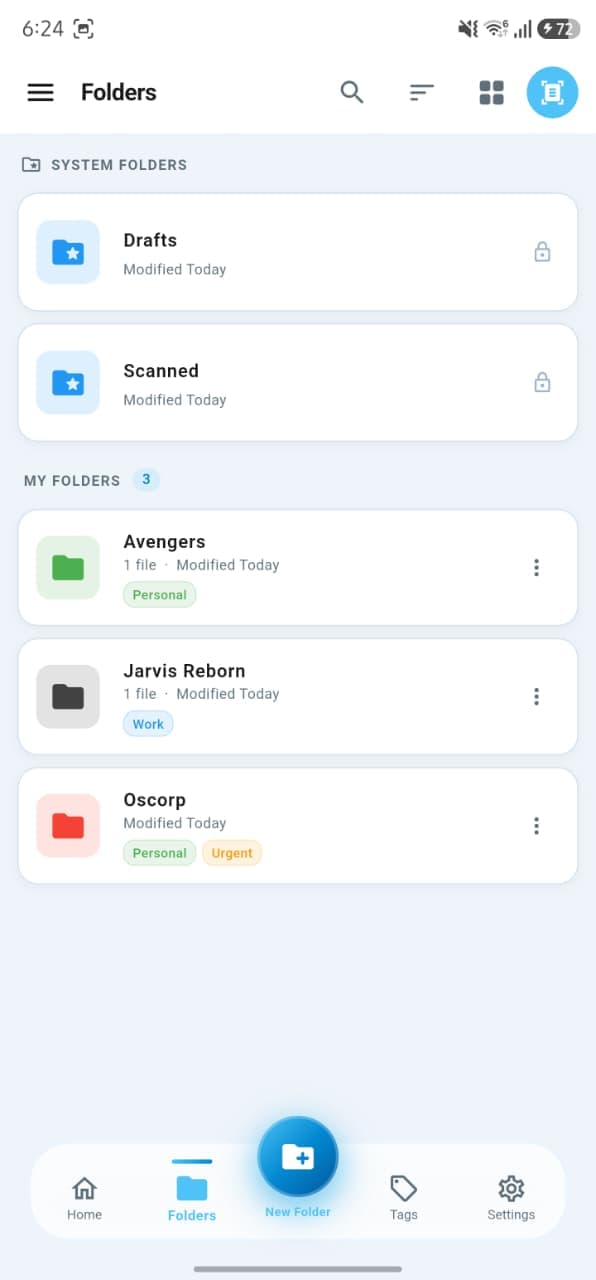
Folders
Colour-coded folders organised with tags
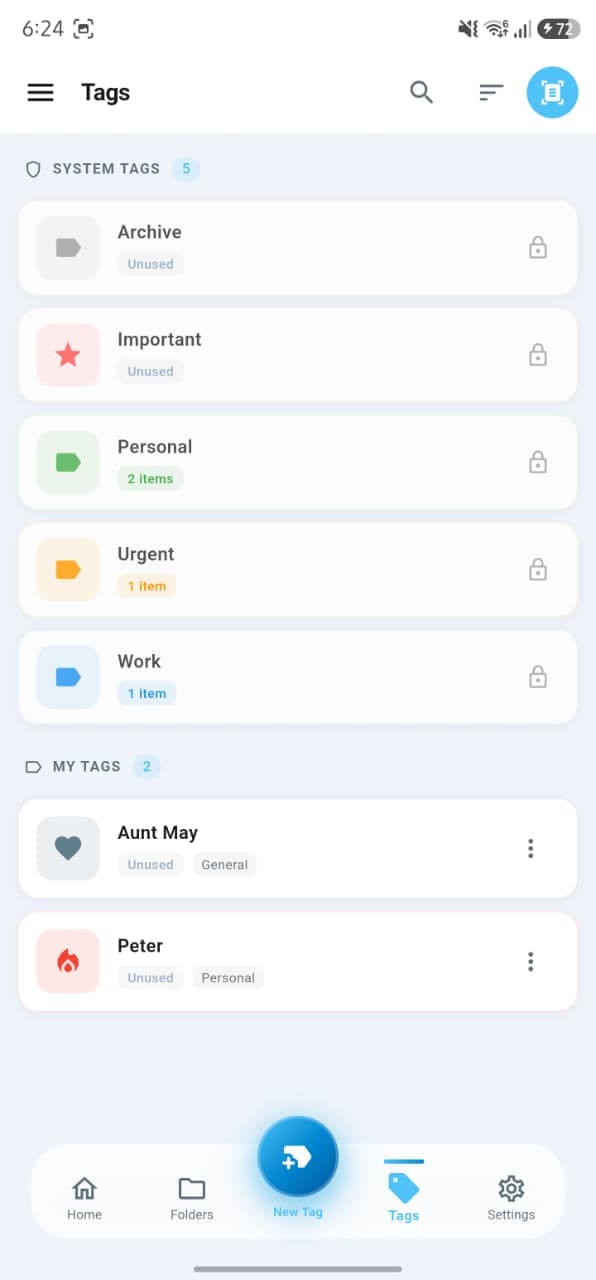
Tags
System & custom tags for instant filtering
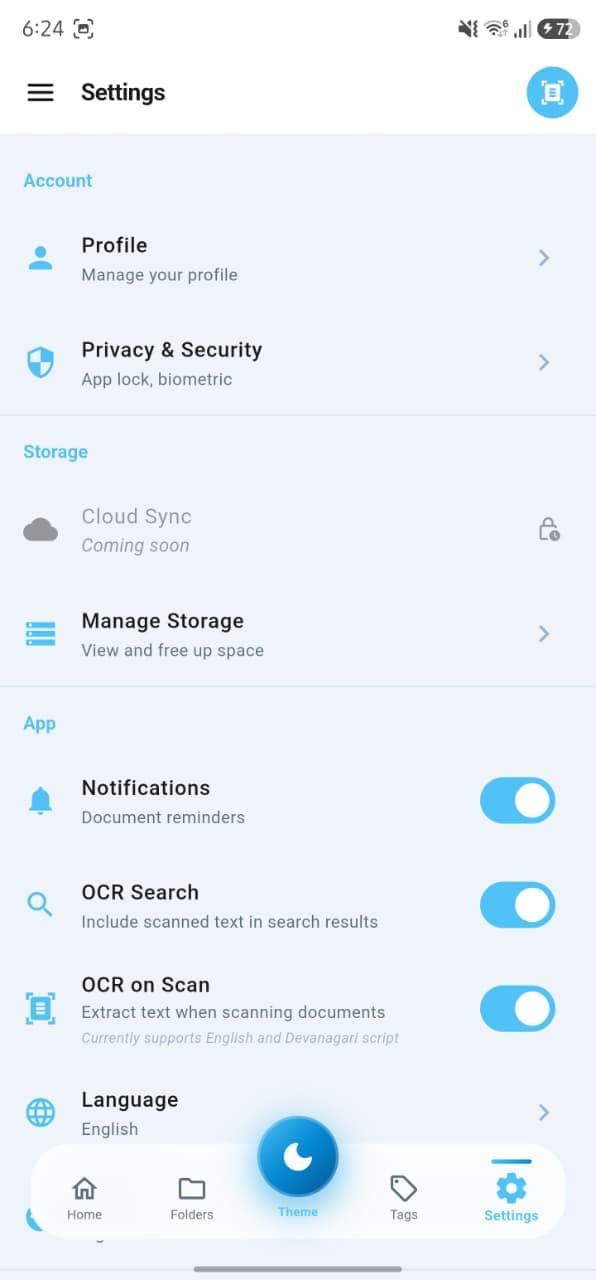
Settings
OCR, security, storage & language controls
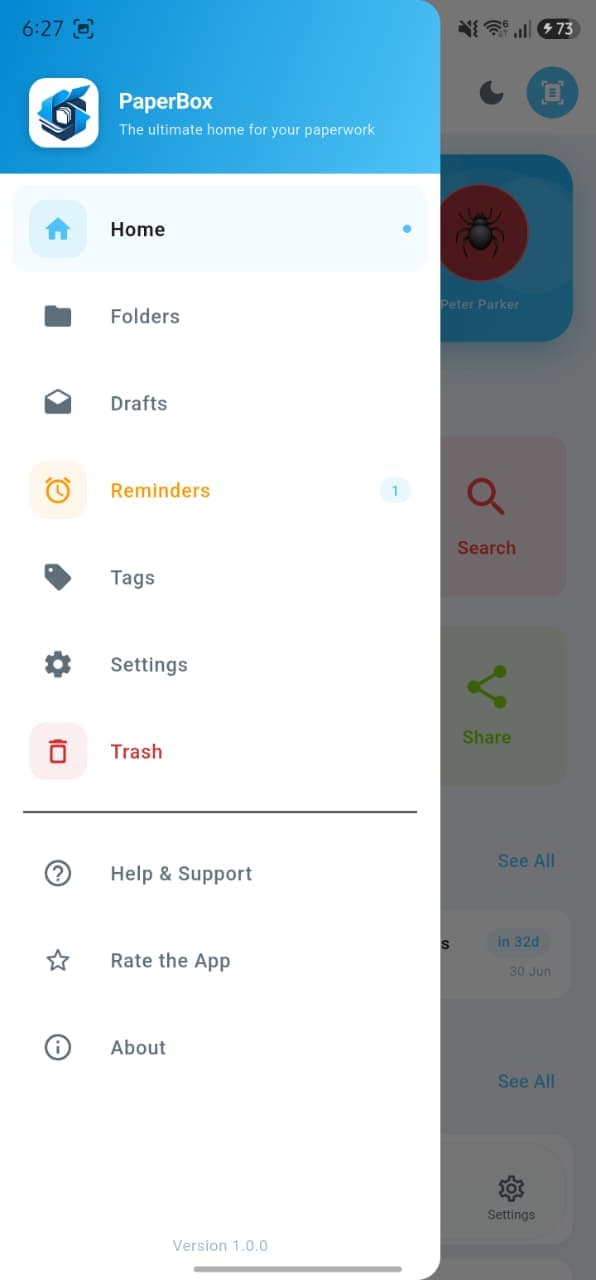
Navigation
Every section one tap away from the sidebar
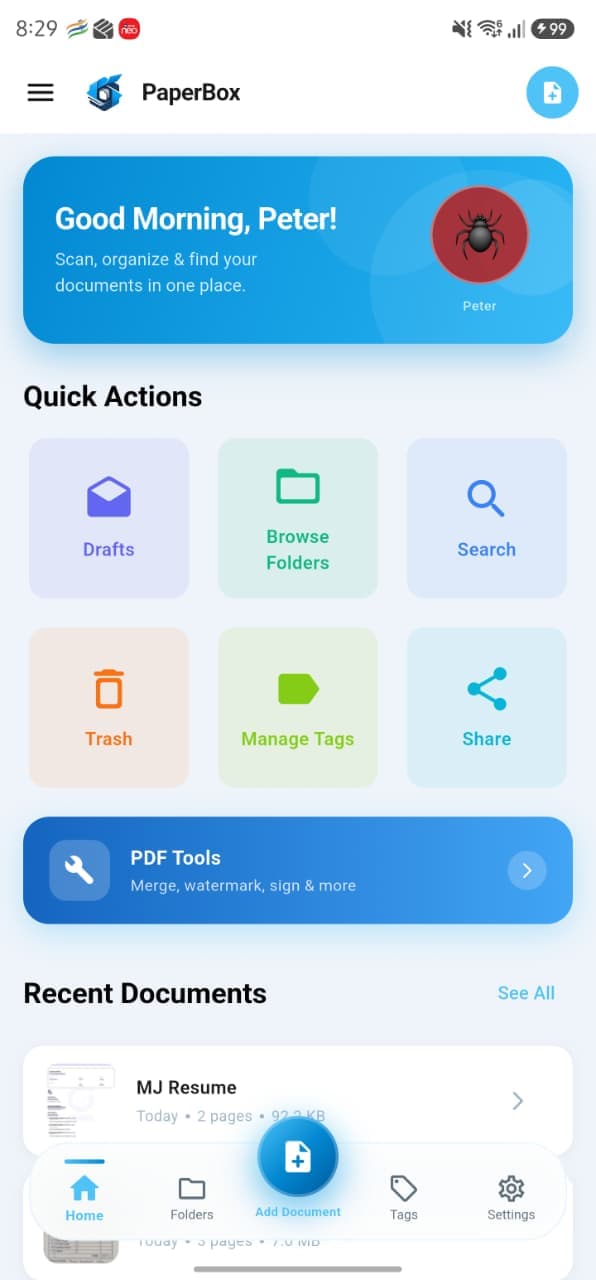
Quick Actions
Drafts, folders, tags, trash & PDF tools at a glance
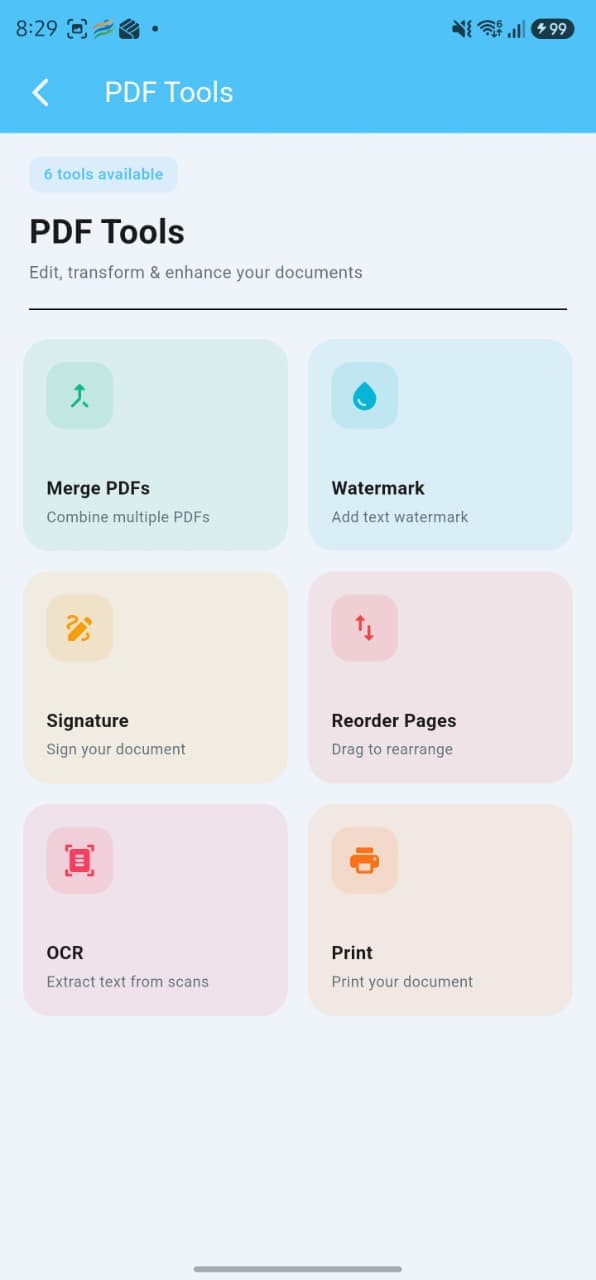
PDF Tools
Merge, watermark, sign, reorder, OCR & print
Everything you need, nothing you don't
Powerful document management built entirely around your privacy and productivity — no subscriptions, no sign-ups.
Smart Scanning
Automatically detects document edges and applies perspective correction using OpenCV — even in difficult lighting conditions.
On-Device OCR
Extract text from any document using Google ML Kit. Supports English, Chinese, Devanagari, Japanese, and Korean — fully offline.
Folder Management
Organize documents into color-coded folders with tags. Move, rename, and search across your entire document tree instantly.
Notes & Reminders
Add contextual notes to any document and set date-based reminders — perfect for contracts, warranties, or renewal deadlines.
PDF Tools
Merge multiple PDFs into one, reorder pages by drag-and-drop, and export or share with a single tap.
100% Private
No account needed. No cloud uploads. No ads. Every document stays on your device — always. Password-protect sensitive files.